Inbox Router — How We Built AI Email Routing for Shared Inboxes
Inside Inbox Router by HermesOps: AI email classification that routes shared inboxes in 1.2 seconds. Plain-language rules, full audit log, on-prem LLM option.
Shared inboxes are where revenue leaks. A purchasing request from a new client sits under a newsletter. A logistics confirmation that needed a reply three hours ago is buried under supplier spam. The sales manager sorts manually every morning — and still misses things on weekends.
We built Inbox Router at HermesOps to fix this. Here’s exactly how it works.
The problem we kept seeing
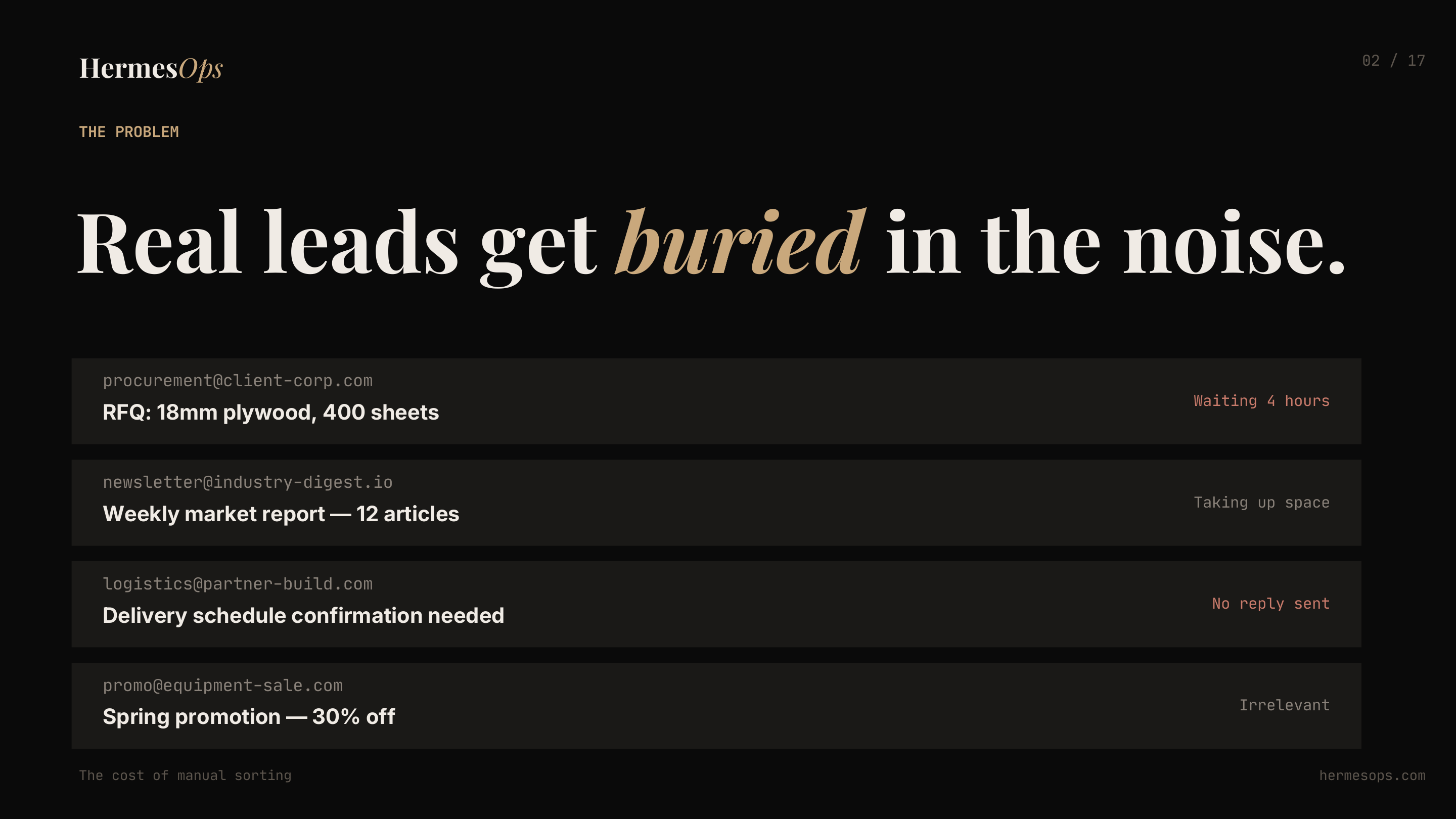
This is a real client’s inbox pattern. The RFQ from procurement@client-corp.com waited 4 hours. The delivery confirmation from the logistics partner got no reply. Meanwhile the inbox filled with promotions and newsletters nobody asked for.
The cost isn’t the time spent sorting — it’s the deals that go cold while the email sits unread.
The numbers that made us build this
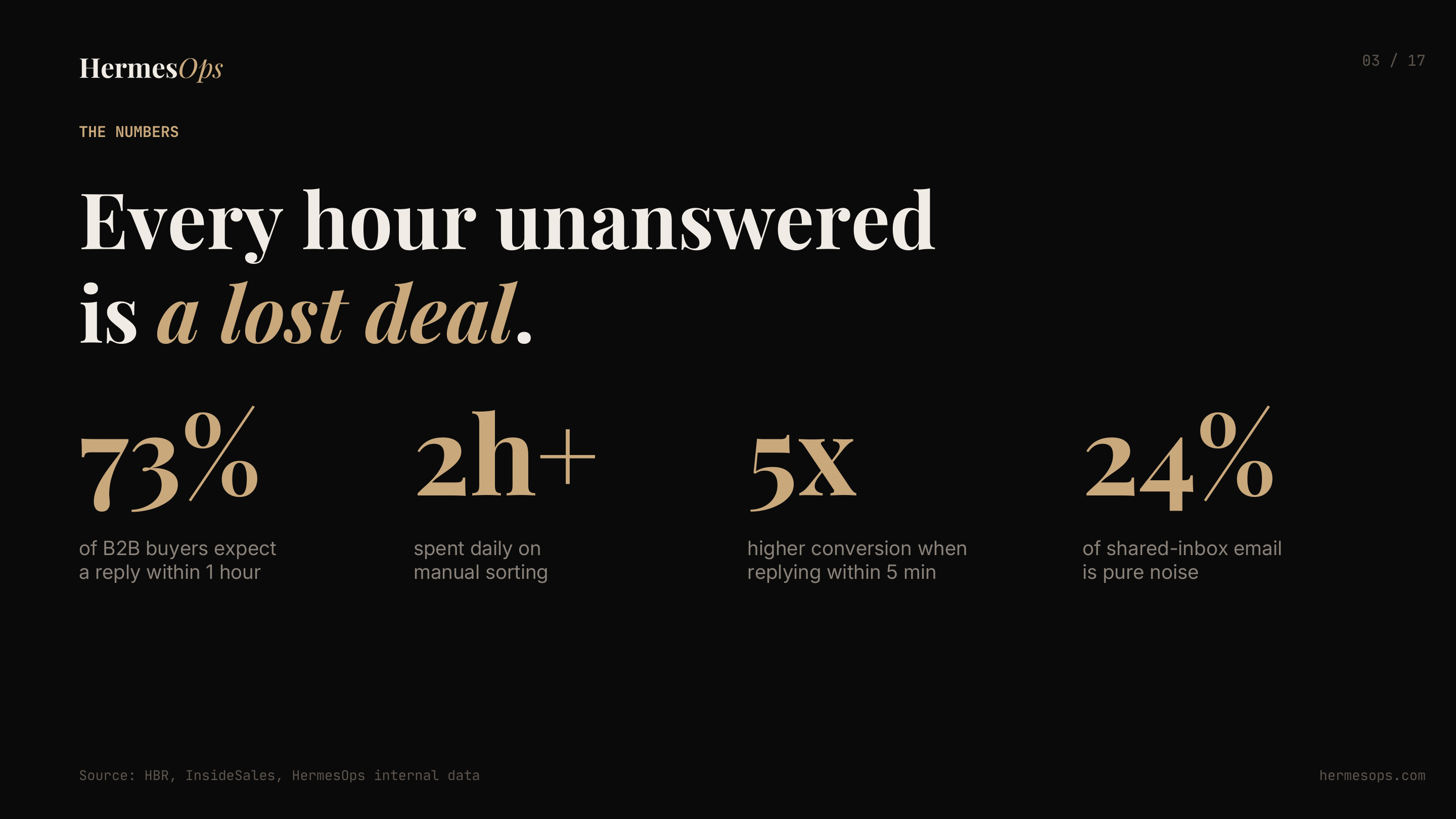
73% of B2B buyers expect a reply within one hour. Conversion drops 5x if you respond after 5 minutes instead of immediately. And yet most shared inboxes still run on a person manually checking and forwarding.
How Inbox Router works
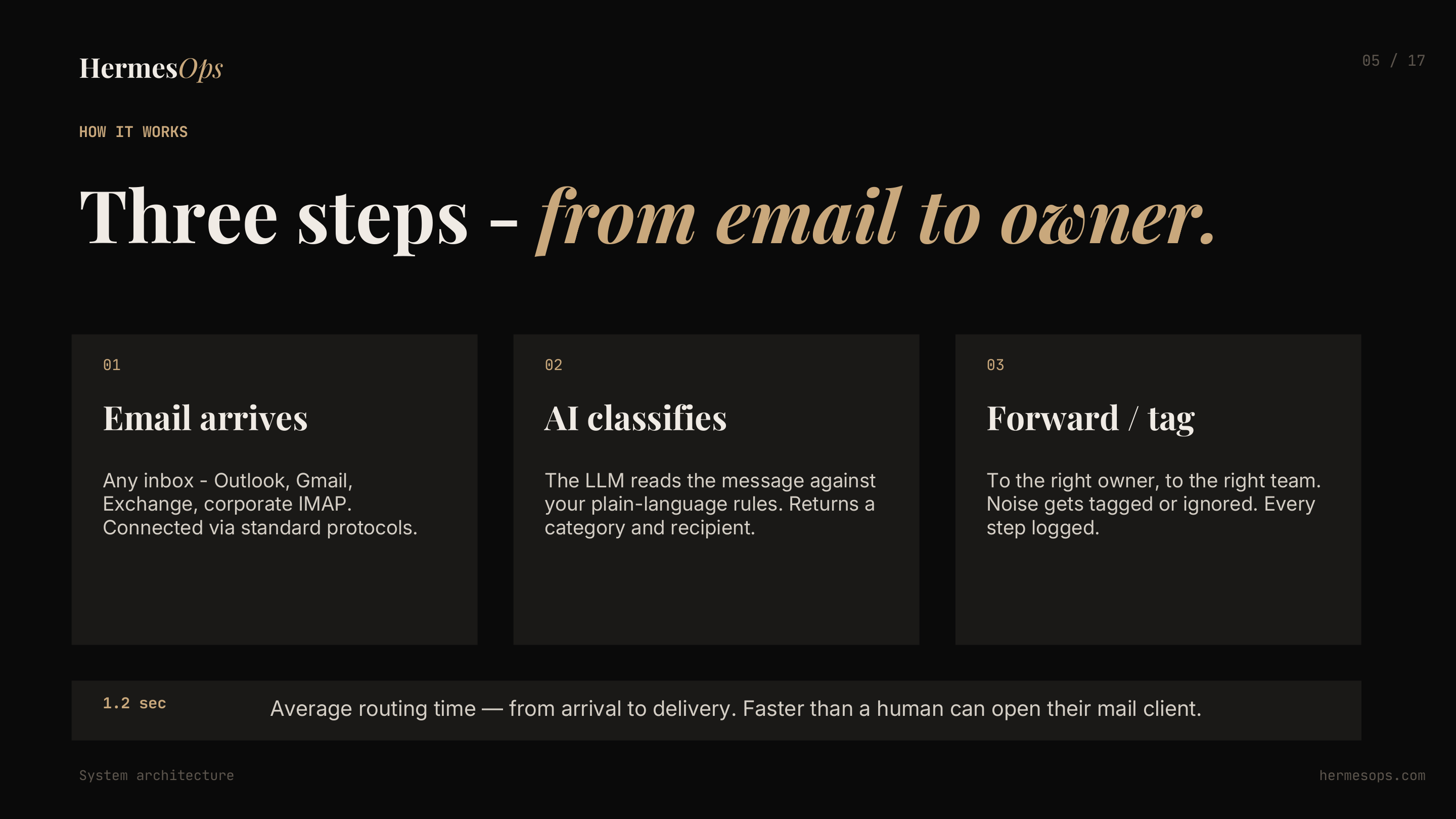
Three steps:
- Email arrives — any inbox: Outlook, Gmail, Exchange, corporate IMAP
- AI classifies — the LLM reads the message against your routing rules and returns a category and recipient
- Forward or tag — real requests reach the right person instantly; noise gets tagged or ignored; every decision is logged
Average routing time: 1.2 seconds. Faster than a human can open their mail client.
Rules in plain language — no regex, no code
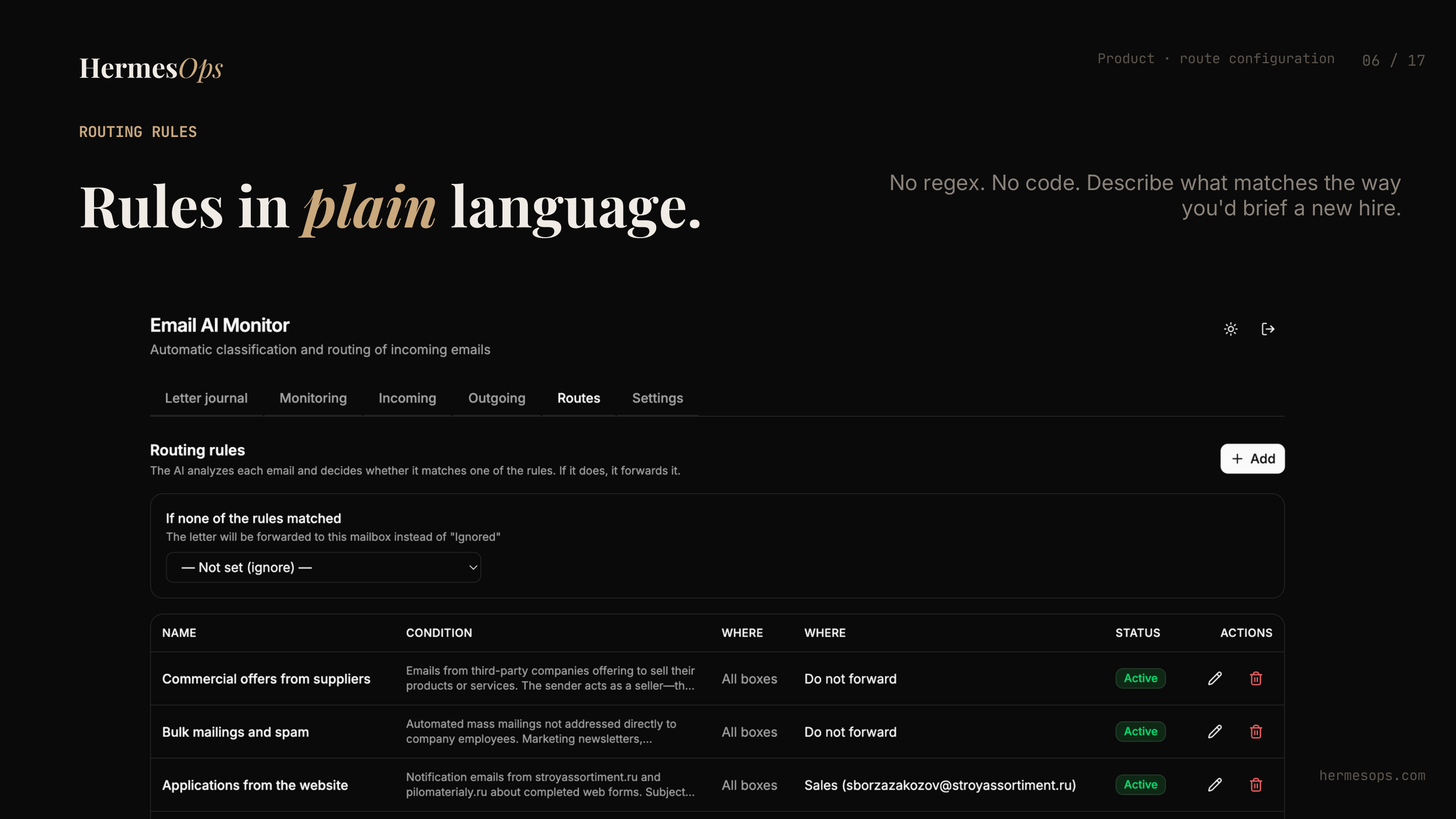
This is the routing configuration screen. Rules are written the way you’d brief a new employee:
- “RFQs and purchase orders for plywood and timber — forward to Sales”
- “Commercial offers from third-party companies trying to sell products — do not forward”
- “Bulk mailings and newsletters — ignore”
- “Applications from our website — forward to Sales”
No regex. No filters to maintain. If the business changes, you edit a rule in 60 seconds.
Every email classified, with the reason why
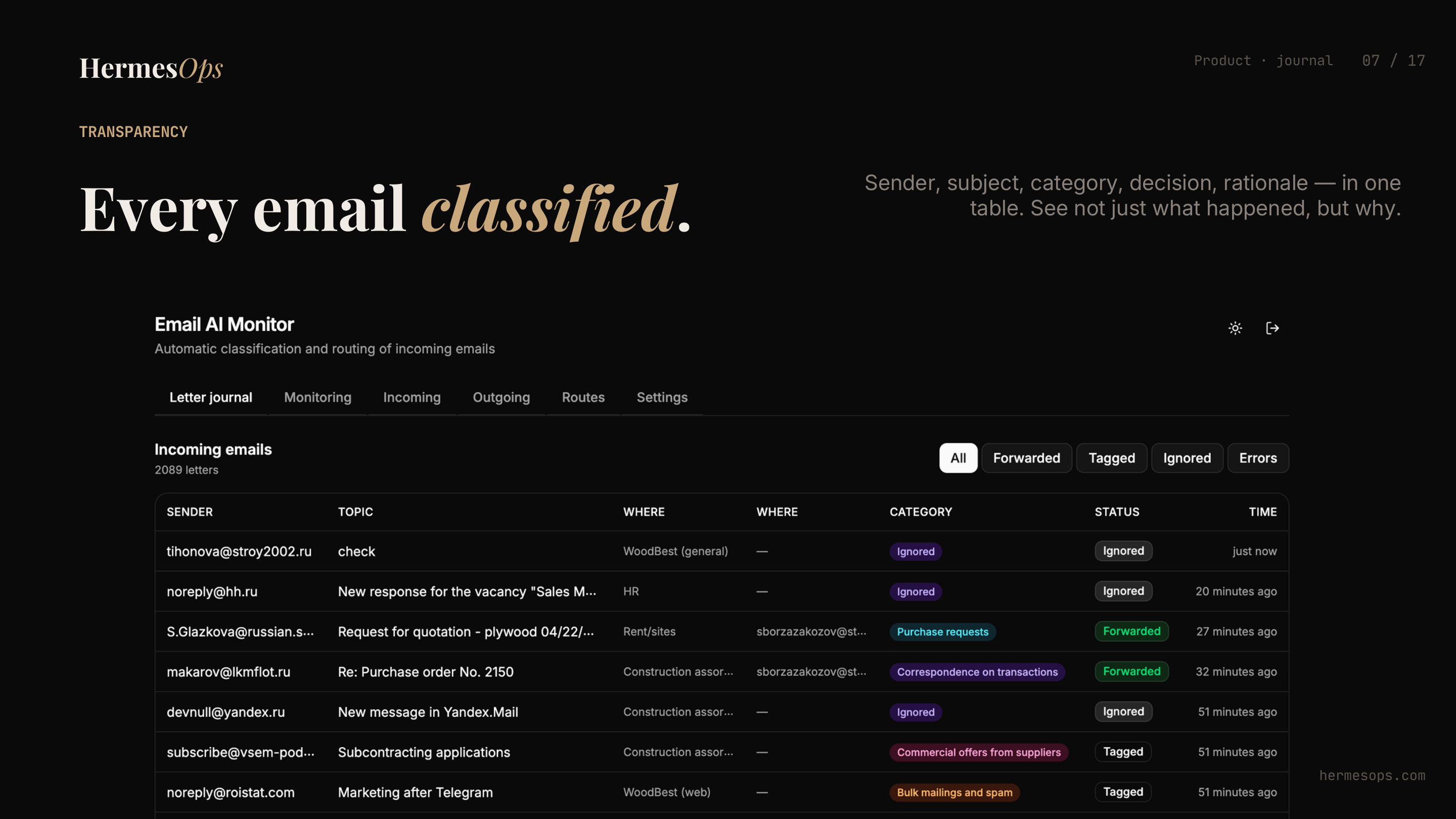
The journal shows every incoming email — sender, subject, category, routing decision, and the AI’s rationale. Not just what happened, but why. If a rule is misclassifying something, you see it immediately and fix it.
2,089 emails processed in this client’s view. Forwarded, tagged, or ignored — all accounted for.
All accounts on one screen
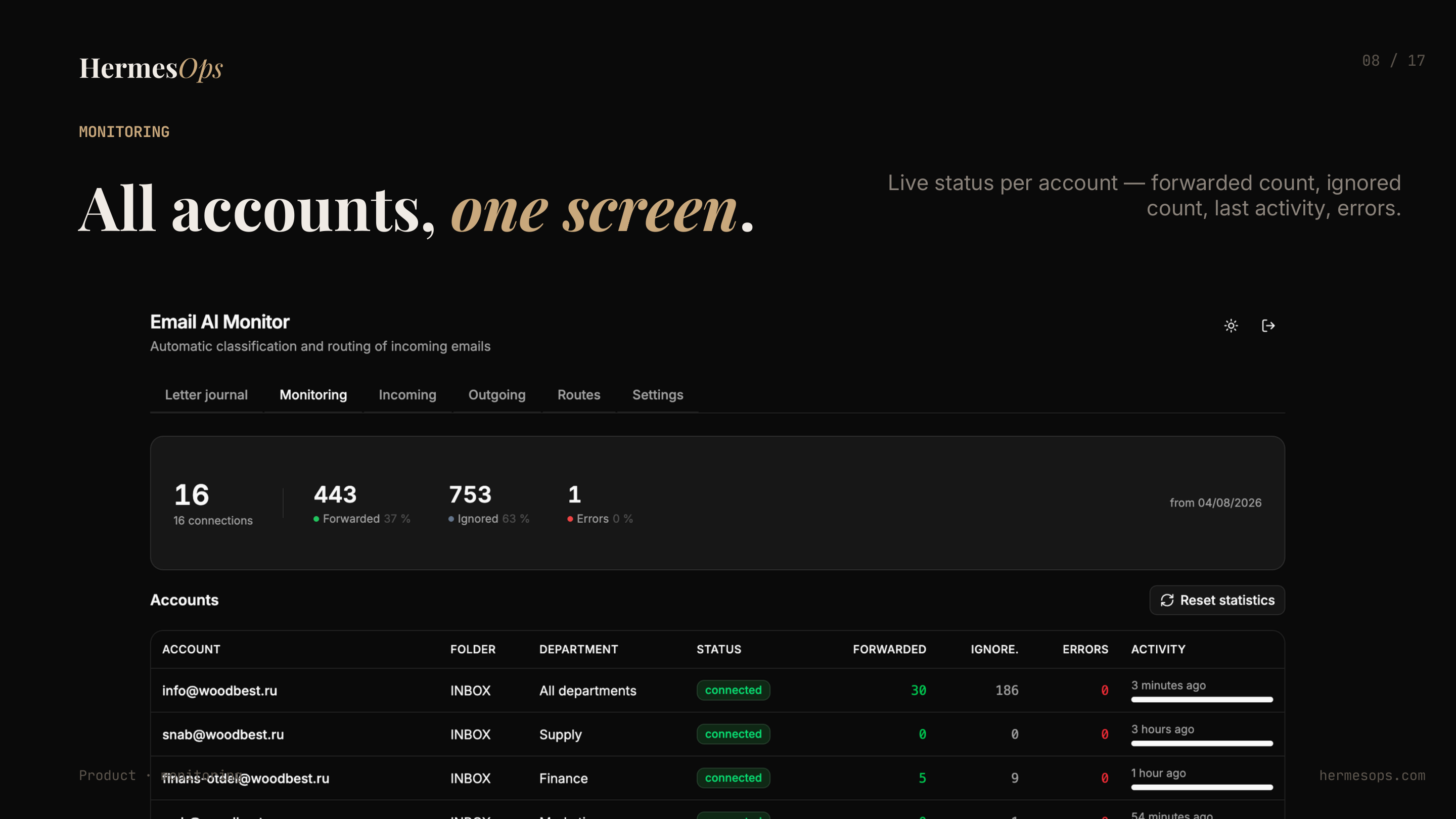
One monitoring screen shows every connected mailbox: live status, forwarded count, ignored count, last activity, errors. This client has 16 connected inboxes across departments — procurement, finance, supply, marketing, HR. Everything visible in one place.
Full control from any device
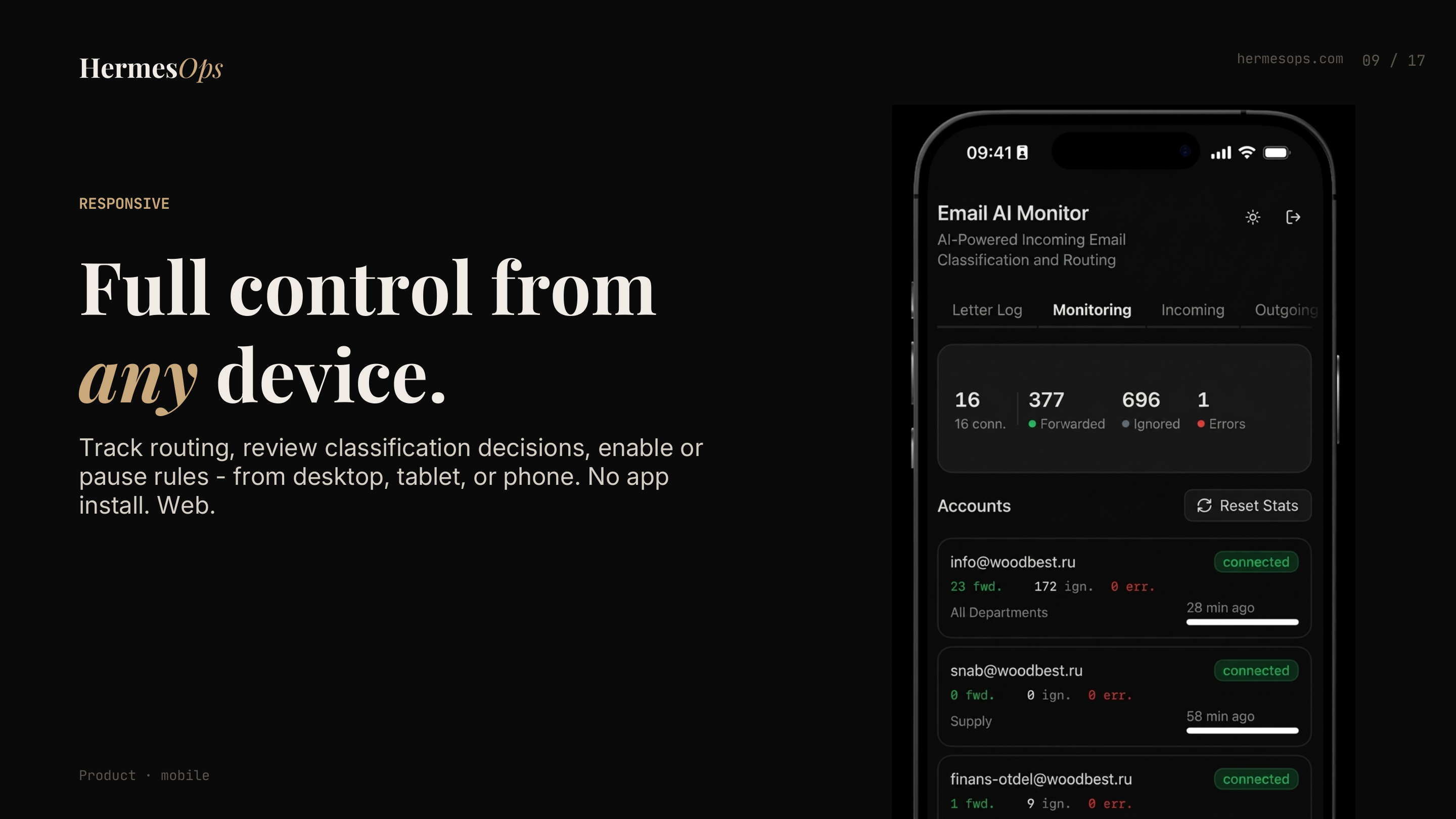
The dashboard is fully responsive. Review classification decisions, enable or pause rules, check monitoring — from phone or tablet, no app install needed. It runs as a web app.
Early clients
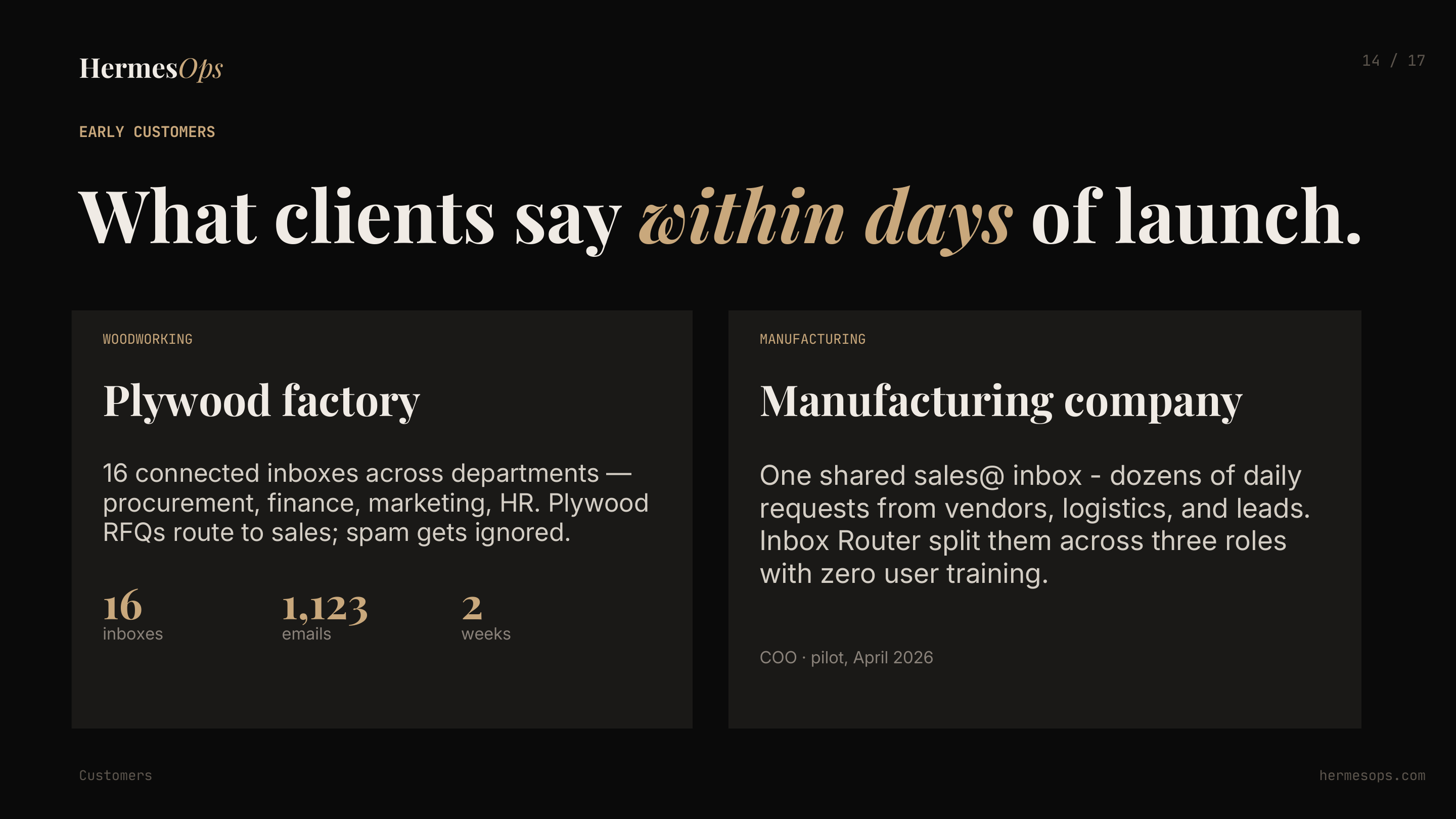
Two manufacturing clients went live in April 2026:
Plywood factory — 16 inboxes connected across all departments. 1,123 emails routed in the first two weeks. Purchase requests from buyers now reach the sales team in seconds, including evenings and weekends. Zero missed RFQs.
Manufacturing company — one shared sales@ inbox receiving dozens of daily requests from vendors, logistics partners, and inbound leads. Inbox Router split them across three roles with zero user training. Staff continue using their existing email client.
Both connected to CRM — every classified email creates or updates a contact record automatically.
The full case study is here: AI Email Routing for Factories — Zero Manual Sorting, CRM Connected.
Security and compliance
For companies that can’t let email pass through third-party servers — regulated industries, legal, healthcare — we deploy with local LLMs. Classification runs entirely within your network. No message leaves your perimeter.
Data stored with TLS in transit and AES-256 at rest. Full audit log with AI rationale per decision. Role-based access: managers see only their routes, admin sees everything.
Deployment timeline
Setup takes two weeks:
- Day 1: VPS infrastructure and mailbox credentials
- Day 2-3: LLM setup and domain binding
- Day 3-4: Deploy, SSL, mailbox hookup
- Day 4-10: Shadow mode testing and rule tuning with your team
- Day 10-14: Handover — ops and docs transferred to your team
After that: autonomous, 24/7, hands-off.
If your team runs shared inboxes and is still sorting manually, HermesOps can have this live in two weeks. 30-minute demo on your actual email patterns — you decide if it fits.